Saturday, December 13, 2014

New and Notables: Educational Apps Vol. 2 (Young Learners)

New and Notables: Educational Apps Vol. 2  (Young Learners)


My Very Hungry Caterpillar by StoryToys Entertainment Limited (iPhone / iPad; $3.99 at time of review) NEW

excerpt from iTunes:
Eric Carle’s much-loved character, The Very Hungry Caterpillar™, has won the hearts of millions of children around the world for more than 45 years. Now, for the first time, The Very Hungry Caterpillar is brought to life in a stunning 3D interactive app. 

You'll soon fall in love with your own Very Hungry Caterpillar as you enjoy a range of fun activities together. Hatch him from an egg, drag tasty fruits from a nearby tree, then watch as he eats them! And when My Very Hungry Caterpillar gets sleepy, just tuck him into his bed.

Each time you wake him up, it’s time for an exciting new adventure: push him on a swing, sail on a pond with bobbing Rubber Ducks, and grow flowers and fruit in a magical 3D garden.

The more you play, the more surprises you'll find including new activities, new fruit, and new toys unlocked over time. Chase a bouncing ball, pop floating bubbles and watch out for the wind-up Grouchy Ladybug! 

Day by day, My Very Hungry Caterpillar grows bigger and bigger, until he changes into a beautiful butterfly. Then a new egg is laid and the adventure begins again. 
It's a world of beauty and color you'll return to again and again.


 It's tough to work with preschoolers without being an Eric Carle fan, especially when it comes to that adorable caterpillar!  My Very Hungry Caterpillar app celebrates the charm of that famous little caterpillar, bringing him to life along through interactive play. The illustrations are relevant to the story, colors are vibrant and the activities are easy for a young child to follow- to begin the game touch the egg  on the screen to "hatch" the caterpillar- he will follow where you tap.   Tap on objects in the scenes to discover interactive elements and sound effects. (Visual cues will help guide the child).  You can even plant seeds in a garden and watch them grow as you water them.  There are also fun toys for the little caterpillar to play with.   (I love how the ball bounces to the child's touch but would love to see more engagement with the caterpillar here- like a giggle or a different facial expression on the caterpillar)  After the caterpillar has eaten and played enough, lead him to a tree stump and tuck him in to bed under a leaf- the screen will actually blacken to mimic the passing of a day- wake him up and find new items to explore. Eventually the caterpillar will turn in to a butterfly if nurtured properly through play!

For sticklers to the story, the egg looks different,  and the app doesn't follow the story in terms of presenting the correct number of  foods (none of the yummy treats or leaf to munch through are included either), but to connect play to the story, you could sit down with the child and have him recall how many strawberries or plums were eaten, and have the child set out the correct number of items for the caterpillar to munch through (super satisfying by the way).  For kids who are distracted by background music (it's lovely by the way) the music can be shut off via the Settings tab. This is a satisfying cause and effect app for little ones familiar with the Very Hungry Caterpillar.  

Click on one of the links below to download a free copy of My Very Hungry Caterpillar to your iTunes account: 


Quick Math Jr. by Shiny Things  (Universal, $2.99 at time of review) NEW

excerpt from iTunes:
Quick Math Jr. helps children aged 3-7 learn the important foundations of mathematics: counting, addition, subtraction, handwriting numbers and much more. As your child plays through the 5 fun games it will dynamically adjust the difficulty so they are always receiving questions that are specifically designed for them. Made by the creators of the award-winning Quick Math series, Quick Math Jr. will help your child to become confident in mathematics.

FEATURES
• Five games aligned with international maths curriculums, including US Common Core and the Australian National Curriculum
• Adaptive difficulty to quickly place players at the appropriate level, with challenges to keep them in their zone of proximal development.
• Write answers directly on-screen! Players progress from multiple-choice to handwritten answers.
• Create your own monster characters by winning new features, then see your creations appear in the game!
• Unlimited player profiles for easy device sharing
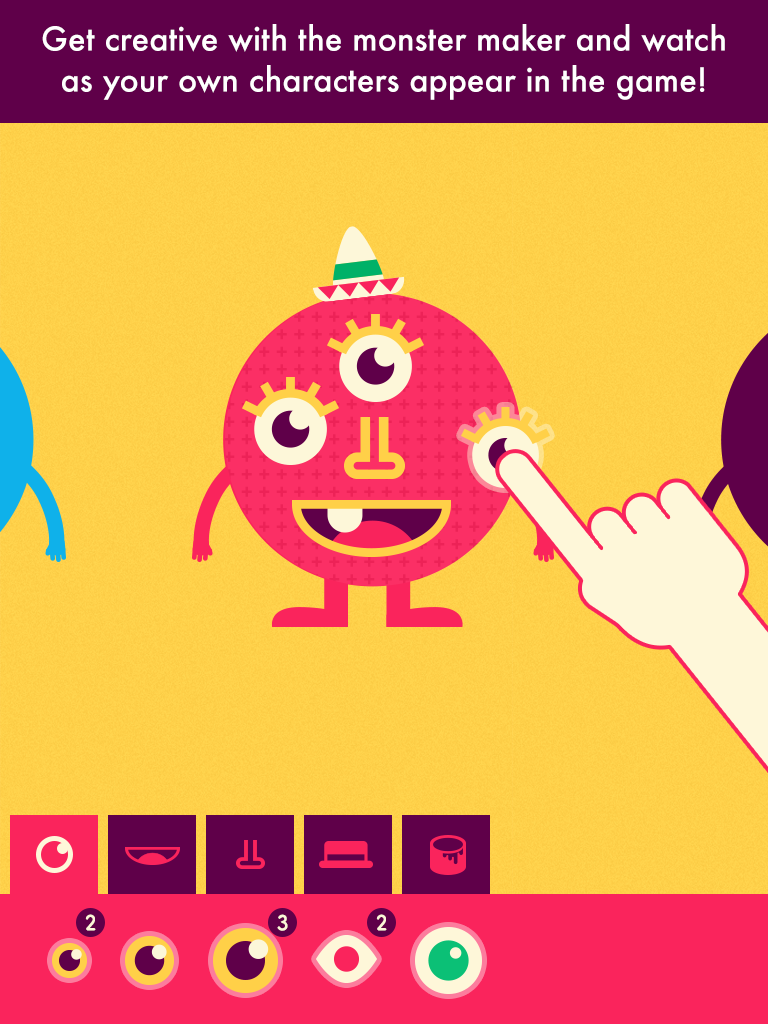
Shiny Things already endeared us with their Shiny Bakery app, so I was eager to try this out with my younger son. Aside from the fun animations and adorable characters designed to keep a young learner's attention, one  of my favorite features is the writing recognition- it even does a really good job understanding my son's handwritten numbers, despite handwriting not being his strong suit.  My son loves creating faces for the Shiny people/creatures and watching them actually come to life as characters in the math activities.  I really like how this incorporates visual memory strategies too- for example one of the tasks shows a certain number of creatures that appear for a brief second before the light flickers out; the user has to pick the dice that corresponds with the number of creatures to play the game. The game play is not punitive either- if a mistake is made, the creatures simply mumble and the incorrect answer is removed from the choices, as many times as necessary until the child chooses the correct answer.  Both educational and fun, it's a keeper!


~~CHECK BACK LATER FOR CODES, COMING SOON! ~~

Draw with Curious George  by Houghton Mifflin Harcourt  (iPad, 99 cents at time of review) 


 excerpt from iTunes:
Does your playful little monkey love drawing on the walls? Have him draw with Curious George instead in this fun and entertaining coloring app! In Draw with Curious George children can color and draw for hours, with a selection of vivid colors, tools, stamps, and stickers. 

Draw with Curious George provides your child with everything he or she needs to create a masterpiece and then share with loved ones through a kid-friendly email system. 

Features & Benefits 
Activities such as:
•Connecting-the-dots
•Tracing animal drawing – everything from birds to bunnies
•Coloring in drawings using different sizes of pencils, paintbrushes, and markers for varying effects
•Painting in opposites with a mirror painting button
•Playing with stamps and stickers
•Having fun cleaning up Curious George’s silly splatters and monkey jumbles
•Sharing art with friends and family through Curious George’s kid-friendly email system


 A very parent and child-friendly app with no in-app purchases or third-party advertising (yay!), Draw with Curious George also thought of a much appreciated feature-an art gallery within the app, so the iPad's photo albums stay uncluttered with tons of artwork while the kids save their masterpieces. (Thank you from the bottom of my heart!)  However my favorite feature is the friendly narration (it's The Man With The Yellow Hat!) so non-readers can easily navigate the app and enjoy all its features. There are many different Curious George themed activities to keep preschoolers and younger elementary aged kiddos entertained-  tracing, connect the dots, coloring with a variety of tools, including stamps, stickers and silly "paint"' options like bananas.  There are fun sound effects for the silly paint tools, and for those of us who grew up on Curious George, he also makes the cutest noises when you tap him. Awwww.  Even better is the easy sharing by email feature- it allows you to add up to three pictures and emails-after you've set it up, the child simply clicks on the picture of the person they want to send their artwork to.  


Tools:

Fun Timer by all4mychild (iPhone/iPad, 99 cents at time of review)  
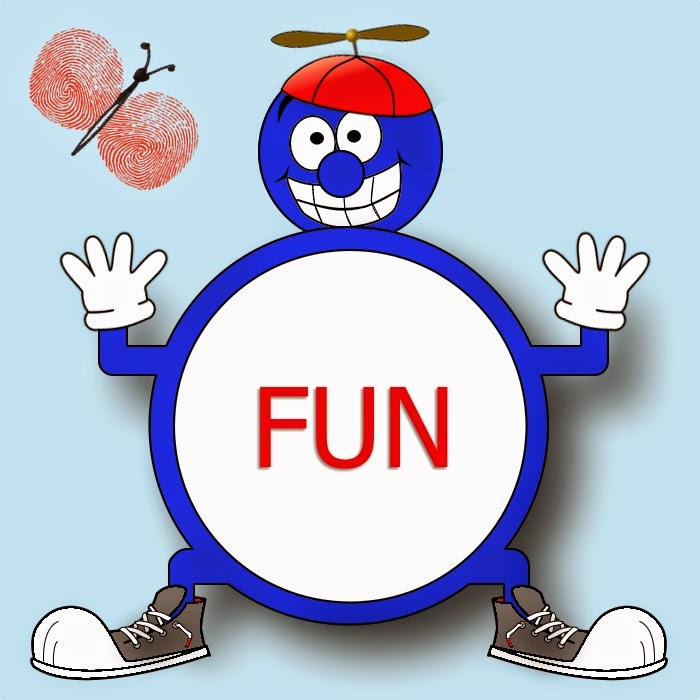


Fun Timer is a simple visual timer to help children be successful while doing a task or activity. You can set it for either ''earning" or "losing" an activity, for a period of anywhere from 1 to 30 minutes. To customize the app, you can add your own pictures from your photo album, draw a picture, or type in a message.

For earning a privilege, select an image, drawing or type in words showing what you want to do next if behaviors are positive.  Select the earning button when the child is doing the expected behavior, and slowly more and more of the picture will be revealed until the timer ends, and the reward is earned.

For losing a privilege (a child gets off task, or is fighting, or engaging in an unexpected behavior) select the "Losing"' button, then "start'' and over time the image, drawing, or words you added to the timer will disappear, showing that you won't be able to earn or do the fun activity depicted if the behavior continues.  Press ''pause'' to stop the timer for good behavior.  If the behavior continues, the image will eventually go blank after the time you specified and the timer's face will show tears.



Friday, August 15, 2014

Review: Kidspiration Maps by Inspiration Software, Inc.


 KidspirationKidspiration Maps by Inspiration Software, Inc. ( iPad, $9.99 at time of review)


Kidspiration Maps by Inspiration Software, Inc. is from the maker of  Inspiration Maps (early version  reviewed here) .  It is a visual and interactive mind mapping and graphic organizer tool for kids, preloaded with activities divided up into the following categories: Reading & Writing, Social Studies, Science, and Math. 


Of course you can make your own customized activities too!  There are some "SuperGrouper" templates to help you create classification and categorization activities.  This includes scene buttons, shapes, thought clouds and a Venn Diagram.  One of the unique features of this app is the Diagram/Writing button, which flips between a diagram view (graphics), and a writing view (list) for that same activity.


In Writing View it is very easy to rearrange elements by dragging and dropping.   You can add sentences or phrases to support a graphic here- you can choose to show a small graphic for each thought or replace with bullet points etc.  I also find it helpful to switch to this view after creating an activity to add recordings- tap each element and choose the thought bubble with pencil icon to add a new recording.


What I like:

Premade activities
Ability to edit Premade activities with custom content 
Easy to use, customizable interface- Create own activities easily, drag or tap to add items-even hyperlinks; re size items with a finger pinch, change colors, use your own photos - then use, print or share!
Scrolling icon library (Over 1,400 symbols sorted into categories)
Visual feedback- when an item is selected on a screen it becomes outlined in blue or green
auditory feedback- add recordings to elements on the screen to use as instructions or to support written labels.

A new update in January has introduced an image search feature for quicker access! 

Wish List:
(I always have one!)

A frame "lock" - currently all elements of an activity board are freely movable- having the ability to "freeze" or "lock" an activity's background images would be so helpful for students who are distracted by this, or for those with less motor control.
A Clear all button- to clear all icons to start an activity fresh
The ability to add our own icons and photos to the icon library for quick access - the existing library is limited in some areas, especially the food- currently there is no "cereal" or "nuts" icon, among other missing favorite foods.
A Drawing Tool so students can learn by adding their own creations to each activity. 

Some of my creations:


Saturday, August 9, 2014

Build to 100 by Fuzzy Bees


Build to 100 by Fuzzy Bees ($1.99, iPad only) [Also on ANDROID here]


If you are familiar with Fuzzy Bees' app Count to 100! See Review here   you know ''educational quality' & "parent-friendly'' are words of high importance to Fuzzy Bees.  Build to 100 is a natural extension of the Count to 100! app, which introduces counting to 100, with features that allow the child to drag numbers from 1 to 100 to their correct place on the number grid.  Kids can learn to associate where numbers belong in relation to each other and build on patterns by skip counting by 2s up to 10s.   Like its predecessor, auditory and visual cues are used to signal a correct or incorrect answer.  There is also a lock feature to keep a child from accidentally exiting the screen (2 quick taps in a row are needed) or getting in to Parent/Teacher areas (three quick taps are needed).


A new addition to this app is a Record Time feature where students can gauge how fast they can build the number grid. This is especially important as teachers and parents can use it to see how a student's understanding is developing and improving over time.

Flexible settings mean a parent or educator can set up the app to target the numbers a child is most struggling with, and auditory cues can be shut off if not needed or wanted.

This is not a toy/game app, it is a tool appropriate for an educational setting, or to supplement learning at home, or to have handy during homework time.  It is hands on and its sound effects should provide an engaging alternative to the old-school paper and pencil method of writing in numbers one by one on a number grid . For children with motor skills delays, using the iPad screen will be a less physically demanding option than the scenario just described.


Favorite Features


Family/educator friendly - no IAPs, locks to block settings & educational tips page. Build to 100! is a Moms with Apps member, a label that upholds the following promises: for kids, privacy best practices, no surprises
Auditory cues- two distinct sounds are used for correct/incorrect number placements
Visual cues- number will jump away from the screen if placed in the wrong spot, and flash as they are placed in a correct spot
Flexible settings- choose perimeters for numbers to focus on, turn correct or incorrect sound effects on or off independently, choose to record time, determine whether building of the number board is random or based on a pattern, choose whether numbers on the board are hidden, and whether number squares are displayed one row at a time, or in their entirety.
Positive Reinforcement - errors are ignored and signaled only by a distinct tone; praise is given after the grid is finished- complete with the app's adorable bee mascots, cheering and a banner bearing different praises "Excellent" ''Awesome" "Outstanding" or "Fantastic". (you can choose to shut off the cheering sound effects for this).

Wish List
I would love to see the white buttons with the bright yellow ''lights" seen in Count to 100! return as an option.

An update is being considered for adding speech to the numbers as well, for additional auditory feedback.

Screenshot from Android device

Saturday, July 19, 2014

Kids Apps for Musical Creativity, Appreciation & Inclusion


  Apps for Musical Creativity, Appreciation & Inclusion


General Education Music Apps:


Learn about Instruments:
Jungle Orchestra by MangoSense Pvt. Ltd.
Musical Paint by Building Blocks Media (Try out several different instruments; create music as you paint.)
Jazzy World Tour- Musical Journey for Kids by The Melody Book


Story Songs
Cassandra the Cow by Animalations
Listen Up Bear by Dave Sindrey (A story song about the bear who went over the mountain)
Perplext has an entire series of adapted classic tales and songs set to music- from Little Red Riding Hood to Wheels on the Bus to Stone Soup.  There are nearly 3 dozen to choose from.


Learn Musical Concepts/Compose:
Jellybean Tunes- An Introduction to Reading and Composing Music for Kids  by Garry Froehlich
Music4Kids- Learn, create and compose music through play by Olivier Romanetti
Cookie Beats by Korin Wong Horiuchi
Woodchuck Rhythm by Marion Wood
TVOKids Keeping the Beat by TVO Apps


Compose Music:
GlowTunes (also see GlowTunes Christmas for free)
Mixeroo by Kirk Wheeler
Sketch-a-Song-Kids by 09 Line Development Co.

Musical Paint Pro by Building Blocks Media (also see Musical Paint)


Garage Band


Inclusive Music Apps:

Tools:
Alexicom Elements PreK (an AAC app including song elements a child can press to join in during song time)
Niki Music by Alessandro La Rocca (allows user to access favorite songs on their idevice via buttons with visual icons)
SlowTunes by Brian Stokes (allows you to slow down lyrics to follow along with them at your own pace)
VAST Songs 2- Kids (learn songs via video modeling)


Turn On/ Compose Music:
RadSounds by RJ Cooper & Associates, Inc. (activate music or custom recordings via touch or switch)
Finger Paint With Sounds by Inclusive Technology Ltd (make music as you paint)
Hidden Grid by Inclusive Technology Ltd (reveal colored shapes and patterns with different sound effects that change pitch)
Peeping Musicians by Inclusive Technology Ltd ( touch each musician that appears to make them move across the stage and play music)


Story Songs:
Five Sharks Swimming by Inclusive Technology Ltd (repetitive song & counting activities; switch accessible)
Five Little Aliens by Inclusive Technology Ltd (repetitive song & counting activities; switch accessible)
Five Little Rock Stars by Inclusive Technology Ltd (repetitive song & counting activities; switch accessible)
Five Speckled Frogs by Inclusive Technology Ltd (repetitive song & counting activities; switch accessible)

Monday, June 9, 2014

New & Notables: Special Apps Vol. 1 (Emotions & Language)


  New & Notables: Special Apps Vol. 1

Emotions:


CopyMe by Games Studio (iPad) (FREE)

My sons and I enjoyed matching the models' emotions- the app uses face recognition technology to detect faces, and shows an outline of the facial expression you should match. A very clever use of facial recognition, the app has three difficulty levels- Easy (happy/sad) Medium (happy/sad/surprised, angry) and Hard (happy/sad/surprised/angry/scared/yucky).  One caveat, the facial recognition is finicky at times- we had a really hard time getting it to recognize our scared or yucky faces.


excerpt from iTunes Description:
   
CopyMe is a simple facial expression game designed for young children. CopyMe requires limited literacy skills and little preparation to begin the game of mimicking onscreen facial expressions while viewing your own facial expression formation.

The creators of CopyMe are a research team from the University of Technology, Sydney. Research regarding CopyMe as a possible Autism Spectrum Disorder assistive tool has resulted in multiple paper publications for the team, as well as motivation to provide continual improvements to the game. Please consider completing the in-App online survey to help further our research

Also check out:


Also On Amazon One of many (FREE) apps from Sesame Street.


Tolva and Ting's Moods- Who's in a Mood by Me and the Giants, one of several (FREE) Tolva and Ting apps.


 (FREE) one of two free apps by Model Me Kids, LLC


Language (Generalization Skills):
 
General Eyes Lite  by Jive TherAppy (iPad) (FREE)
 
If your child is not generalizing (i.e. does not yet realize that a "dog" comes in many different forms and can be big, small, black, white, spotted... etc.) this app will be very helpful. Real photos and customizable Data tracking make this a perfect special educator & speech and language therapy tool too.

Yahoo!! This app is bilingual ENGLISH/SPANISH! 


You can download the full version of GeneralEyes with additional content here.

Jive TherAppy has two more language centered apps worth a look: The Not Spot (Which one doesn't belong), and Get the Set (recognizing/categorizing objects)


Thursday, May 1, 2014

50+ Totally FREE Apps for Special Needs ( iOS)


In case you missed some of the Autism Awareness Month specials during April, Special Apps, Special Kids has rounded up their favorite fully functional, ALWAYS FREE apps- many developed with special needs in mind.

These are quality, stand-alone apps and child-friendly- currently free of ads and links to apps with  consumable IAP (repeating In-App Purchases), for example, although there may be links to a developer's own apps present.  A few included apps have one time IAPs to unlock additional content that is not needed to enjoy the app- this will be stated if that is the case at the time of publication if known).

(Check in iTunes before downloading as developers do make price, IAP or ad changes from time to time)


AAC & Assistive Technology:
Grid Player by Sensory Software International
Alexicom AAC by Alexicom Tech LLC
AZAHAR by FUNDACION ORANGE
C.P.A by CPA
Verbally by Intuary (has one time IAP for Verbally Premium- make sure IAPs are set to off )
SoundingBoard by AbleNet (has IAPs for more content)
Cardnival: share FREE audio visual cards for special education (autistic & dyslexia) by MB & Partners Limited


Academic Tools:
30hands: Create & Show What You Know by 30hands Learning, Inc.  (ungated links to social media)
Educreations Interactive Whiteboard by Educreations, Inc
Khan Academy
GuidedVideo by GuidedVideo LLC  (Temporarily FREE w/ planned update, grab it while you can!)
Geoboard, by the Math Learning Center by Clarity Innovations
NASA has many free apps
Smithsonian Channel for iPad by Smithsonian Networks


Behavior & Emotional Regulation Tools:
Fun Time Timer by CodigoDelSur
Spectrum Timer by Richard Humphrey
Breathe, Think, Do with Sesame by Sesame Street


Cause & Effect:
Sensory Room by Inclusive Technology Ltd  SWITCH ACCESSIBLE
Finger Paint with Sounds by Inclusive Technology Ltd  SWITCH ACESSIBLE
Touch & Say SD by Interbots Touch & Say by Interbots (for iPad)


Data Collection & Organizational Tools:
ATEC by Autism Research Institute
Get Well Stay Well by The Thanksgiving Game, Inc.
My Autism Day by Little App Helpers
Palu Shared Handwriting Calendar by MetaMoJi Corporation  (IAPs to remove (unobtrusive) ads & add more calendars)
Scholastic Reading Timer by Scholastic


Emotions & Feelings:
Autism Emotion by Model Me Kids, LLC,

Feel Electric! by Sesame Street
Tolva and Ting's Moods - Who's in a Mood? by Me and the Giants
Emotionary by Me.Mu by leehsueh


Grammar, Language & Vocabulary:
Let's Name Things Fun Deck by Super Duper Publications
NLConcepts Autism: Sort & Categorize by Natural Learning Concepts
SpeakColors by Robert Harrison (link to fuller version, SpeakColors HD, on a separate adult targeted screen)
Using I and Me Fun Deck by Super Duper Publications


Life Skills, Life Events & Safety:

Big Moving Adventure by Sesame Street
Danger Rangers Fire Safety App: Videos, Games, Photos, Books & Interactive Play & Learn Activities for Kids... by Playrific
DialSafe Pro by Little Bit Studio, LLC (phone safety, 911)
Just Me and My Mom - Little Critter by Oceanhouse Media
Model Me Going Places 2 by Model Me Kids, LLC (video modeling: hairdresser, mall, doctor, playground, grocery store, restaurant)
Put It Away by leehsueh
Rockford's Rock Opera 1 - Children's Musical Audio Book by Sweetapple Ltd (stranger danger, environmental awareness & more)
Sesame Street for Military Families by Sesame Street
Sesame Street: Divorce by Sesame Street
Sesame Street: Incarceration by Sesame Street
Shoperone: Assisting with Grocery Shopping by Jackson13.info
Sparky's Birthday Surprise by Cupcake Digital (fire safety)
Step By Step Getting Dressed by Wonkido
Stewie the Duck Learns to Swim by Stew Leonard's


Math:
Sushi Monster by Scholastic


Motor Skills- Fine Motor/ Visual Motor:
Trace & Share by True Digital Content and Media Limited
Match Blitz by Shiny Things


Music:
GlowTunes Christmas by AppHappyStudios LLC (has single IAP for extra content, 99 cents)
Children's Xmas App - Rockford's Christmas Song by Sweetapple Ltd


Play Themes:
Bamba Ice Cream by Mezmedia (price has changed recently, confirm)
Daily Tasks by True Digital Content and Media Limited
Toca Kitchen Monsters by Toca Boca
Toca Hair Salon - Christmas Gift by Toca Boca


Reading:
SEN Press- for teenagers with special needs by SEN Press Ltd (has one complete, free book of high quality; IAP for full library/ single books for purchase is gated- however it is expensive and we recommend turning on guided access and drawing around the shop button to further protect against unwanted entry)


Religious Education:
Bible for Kids by LifeChurch.tv


Special Needs Resources:
(may be ad-supported, as these apps are geared toward adults I have not thoroughly checked)

Autism by Autism Research Institute (small, one-time IAP for extra content)
Autism Live by Mark Keller
Braille Institute- Several FREE apps here
FSL App by Cassandra Burgess (Full Spectrum Learning, Cognitive and Behavioral Support Services; has videos and visual supports, as well as a Northern Ontario autism event calendar)
Global Autism Alliance by Autism Research Institute
LittleSteps by Sandra Moyer (free developmental milestones; small, one time IAP for extra content)
National Fragile X Foundation
Rare Diseases E-book from Rare Genomics Institute
Schafer Autism Report by Autism Research Institute
Spectrum Stratergies by madebyeducators


 --------------------------------------------------------------------


 MORE FREE (GENERAL ED.) APPS FOR PRE-K & ELEMENTARY:


Animals:
Disneynature Explore by Disney


Art/Creativity:
Lazoo: Squiggles! by Lazoo Worldwide, Inc
Sago Mini Bug Builder
Toca Fairy Tales by Toca Boca
Tiggly Draw by Tiggly (IAP with parental gate)
Tiggly Stamp by Tiggly (IAP with parental gate)


Reading:
Language Technologies, Inc. has one free LAZ Reader app for each level AA- P)


Shapes:
Tiggly Safari by Tiggly (IAP with Parental Gate)


Developers to Check Out:


Fisher Price has several free apps for the 0-3 crowd.

Grasshopper Apps has many free apps for a variety of areas including memory, matching, vocabulary, fine motor etc. (some have one time IAPs for additional content or features). 

LEGO also has some totally FREE options, as well as others with IAPs.

More information on some of the Grasshopper Apps & LEGO apps on  this list of 10 Autism Apps from Small But Kinda Mighty )

PBS Kids has several free apps for PreK & up.

Better Hearing & Speech Month Giveaways


May is Better Hearing and Speech Month!
 
Special Apps, Special Kids & The Appy Ladies have teamed up with some great developers to bring you another iPad mini Giveaway!

Thank you *Abitalk* Crick Software *Duckie Deck* Hamaguchi Apps for Speech, Language and Auditory Development* HelpKidzLearn* Multimedia Speech Pathology* @Reks* Special iApps*   
Enter HERE:a Rafflecopter giveaway


Starting May 29th :
  PopAppFactory (http://www.popappfactory.com/) is announcing a big children’s day sale, All of their apps will cost 99 cents only! (Make sure you check out SASK's favorite, Association Puzzles: https://itunes.apple.com/us/app/association-puzzles/id542642358?mt=8
And Mini-U: My Home, Mini-U: Boutique, Mini-U: The City and Mini-U: The Farm apps will be FREE until 3rd of June!


And MORE great giveaways listed here: