Showing posts with label math. Show all posts

Monday, May 4, 2015

New and Notables: Special Apps


TalkItt (NOT YET AVAILABLE)

Still in development, but scheduled to be ready for release some time this year, this app literally brought tears to my eyes imagining the possibilities... TalkItt is an app that translates a user's impaired speech.  Imagine what this will mean for individuals with motor and speech impairments, who up until this development have had to rely on text to speech apps or picture communication systems to convey thoughts. For people with unclear but consistent patterns of speech, TakItt will learn each individual's unique vocal patterns. Once the app is familiar with the user's voice, the user can speak and the app will take that language that others struggle to understand, and speak the words aloud with clear speech. Follow them on Twitter here: https://twitter.com/Voice_Itt and on Facebook here: https://www.facebook.com/VoiceItt

I Can Have Conversations with You (On sale for $29.99, limited time, iPad only)

I Can Have Conversations With You"' is a customizable social language system developed by a certified speech language pathologist created to meet the unique communication needs of users on the Autism Spectrum.

It is home-based self-paced program that focuses on all aspects of communication- from eye contact; non-verbal language, facial expressions and gestures; emotions and feelings; relationships among conversational partners; intentions and motivations, perspectives and points of view; use of interjections like ''Oh Really" "Uh huh" "Cool''; different uses of language (to warn, to congratulate etc.), summarizing of topics,  understanding social rules and appropriate conduct; and logic/problem solving, figures of speech, grammar and vocabulary.

The user progresses through the app independently, except for when asked to complete "Role Plays" with a partner.  It utilizes a lot of repetition to help the user understand a concept.  The parent/caregiver assists with Role playing, as well as monitoring the user's communication abilities via a parentally gated section with easy-to-understand assessment rubrics in different areas of communication.

Message from the developer:  Unlike ordinary apps in the market, "'I Can Have Conversations With You!"' is a sequence of learning that takes each user approx 4-6 hours to complete. It's principally designed for at-home use independently by a single child vs. a therapy/school/group setting; therefore, to utilize with more than one student, the app must be re-installed and started from the beginning each time (which is free, of course).  

Additional details on how the app works can be found throughout the website  http://www.icanforautism.com/ and within the Video Tour there. Follow on Twitter at @ICanForAutism

Octoplus

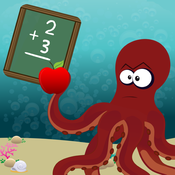
Octoplus is a switch-accessible app designed for young children and kids with motor or cognitive delays.  It is a fun game-style math app where math skills are employed to battle turtles in an underwater world. There are drill and challenge modes, and options for different difficulty levels, as well as reports on progress that can be viewed in a parent section. For kids who benefit from a little extra encouragement, there is even a pretend store within the app where kids can buy characters after earning enough points.  This app also reinforces fine motor skills.  The app is common core aligned for the following standards:

*Curriculum Coverage**
OctoPlus covers the following Operations & Algebraic Thinking Math Topics: Add numbers to 10; Add in any order; Make a number
CCSS.MATH.CONTENT.K.OA.A.3 - Decompose numbers less than or equal to 10 into pairs in more than one way
CCSS.MATH.CONTENT.K.OA.A.4 - For any number from 1 to 9, find the number that makes 10 when added to the given number
CCSS.MATH.CONTENT.K.OA.A.5 - Fluently add and subtract within 5.


You can visit the app's developer, Zyrobotics, on Facebook: https://www.facebook.com/pages/Zyrobotics/402223876544935
Ghotit Real Writer ($99, iPad- see below for information on this product for other platforms)

is an iPad app designed to support users with dyslexia, dysgraphia or other learning disabilities. The first thing I noticed about Ghotit Real Writer was the voiceover feature guiding me the instant I opened the app.  Its features include a grammar checker, a context-aware spell checker and word prediction capabilities.  The program will read aloud text as well, making this an excellent support for those who benefit from auditory feedback. There is also an iPhone version (Ghotit Buzz Writer, $99) as well as versions for (Windows, Mac or Linux, ($199 ea)  and Android platforms ($99).
The code is a one time purchase, per device, according to the developer, but I did not encounter this issue when loading it to my other personal device under the same icloud account.


Saturday, December 13, 2014

New and Notables: Educational Apps Vol. 2 (Young Learners)

New and Notables: Educational Apps Vol. 2  (Young Learners)


My Very Hungry Caterpillar by StoryToys Entertainment Limited (iPhone / iPad; $3.99 at time of review) NEW

excerpt from iTunes:
Eric Carle’s much-loved character, The Very Hungry Caterpillar™, has won the hearts of millions of children around the world for more than 45 years. Now, for the first time, The Very Hungry Caterpillar is brought to life in a stunning 3D interactive app. 

You'll soon fall in love with your own Very Hungry Caterpillar as you enjoy a range of fun activities together. Hatch him from an egg, drag tasty fruits from a nearby tree, then watch as he eats them! And when My Very Hungry Caterpillar gets sleepy, just tuck him into his bed.

Each time you wake him up, it’s time for an exciting new adventure: push him on a swing, sail on a pond with bobbing Rubber Ducks, and grow flowers and fruit in a magical 3D garden.

The more you play, the more surprises you'll find including new activities, new fruit, and new toys unlocked over time. Chase a bouncing ball, pop floating bubbles and watch out for the wind-up Grouchy Ladybug! 

Day by day, My Very Hungry Caterpillar grows bigger and bigger, until he changes into a beautiful butterfly. Then a new egg is laid and the adventure begins again. 
It's a world of beauty and color you'll return to again and again.


 It's tough to work with preschoolers without being an Eric Carle fan, especially when it comes to that adorable caterpillar!  My Very Hungry Caterpillar app celebrates the charm of that famous little caterpillar, bringing him to life along through interactive play. The illustrations are relevant to the story, colors are vibrant and the activities are easy for a young child to follow- to begin the game touch the egg  on the screen to "hatch" the caterpillar- he will follow where you tap.   Tap on objects in the scenes to discover interactive elements and sound effects. (Visual cues will help guide the child).  You can even plant seeds in a garden and watch them grow as you water them.  There are also fun toys for the little caterpillar to play with.   (I love how the ball bounces to the child's touch but would love to see more engagement with the caterpillar here- like a giggle or a different facial expression on the caterpillar)  After the caterpillar has eaten and played enough, lead him to a tree stump and tuck him in to bed under a leaf- the screen will actually blacken to mimic the passing of a day- wake him up and find new items to explore. Eventually the caterpillar will turn in to a butterfly if nurtured properly through play!

For sticklers to the story, the egg looks different,  and the app doesn't follow the story in terms of presenting the correct number of  foods (none of the yummy treats or leaf to munch through are included either), but to connect play to the story, you could sit down with the child and have him recall how many strawberries or plums were eaten, and have the child set out the correct number of items for the caterpillar to munch through (super satisfying by the way).  For kids who are distracted by background music (it's lovely by the way) the music can be shut off via the Settings tab. This is a satisfying cause and effect app for little ones familiar with the Very Hungry Caterpillar.  

Click on one of the links below to download a free copy of My Very Hungry Caterpillar to your iTunes account: 


Quick Math Jr. by Shiny Things  (Universal, $2.99 at time of review) NEW

excerpt from iTunes:
Quick Math Jr. helps children aged 3-7 learn the important foundations of mathematics: counting, addition, subtraction, handwriting numbers and much more. As your child plays through the 5 fun games it will dynamically adjust the difficulty so they are always receiving questions that are specifically designed for them. Made by the creators of the award-winning Quick Math series, Quick Math Jr. will help your child to become confident in mathematics.

FEATURES
• Five games aligned with international maths curriculums, including US Common Core and the Australian National Curriculum
• Adaptive difficulty to quickly place players at the appropriate level, with challenges to keep them in their zone of proximal development.
• Write answers directly on-screen! Players progress from multiple-choice to handwritten answers.
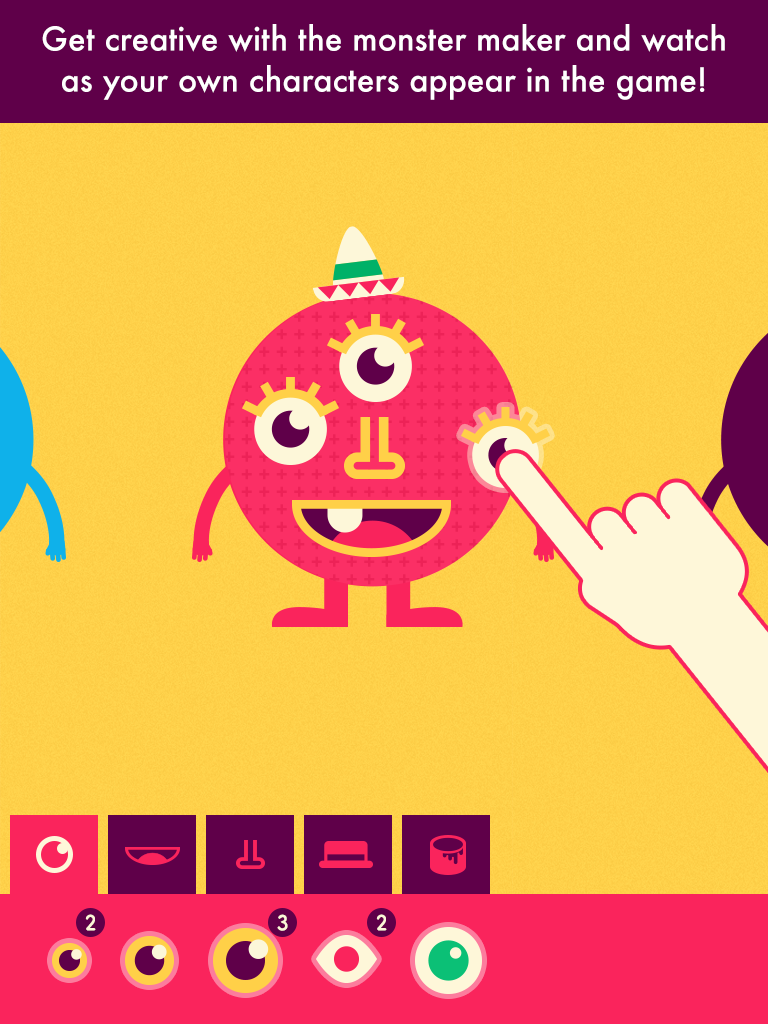
• Create your own monster characters by winning new features, then see your creations appear in the game!
• Unlimited player profiles for easy device sharing

Shiny Things already endeared us with their Shiny Bakery app, so I was eager to try this out with my younger son. Aside from the fun animations and adorable characters designed to keep a young learner's attention, one  of my favorite features is the writing recognition- it even does a really good job understanding my son's handwritten numbers, despite handwriting not being his strong suit.  My son loves creating faces for the Shiny people/creatures and watching them actually come to life as characters in the math activities.  I really like how this incorporates visual memory strategies too- for example one of the tasks shows a certain number of creatures that appear for a brief second before the light flickers out; the user has to pick the dice that corresponds with the number of creatures to play the game. The game play is not punitive either- if a mistake is made, the creatures simply mumble and the incorrect answer is removed from the choices, as many times as necessary until the child chooses the correct answer.  Both educational and fun, it's a keeper!


~~CHECK BACK LATER FOR CODES, COMING SOON! ~~

Draw with Curious George  by Houghton Mifflin Harcourt  (iPad, 99 cents at time of review) 


 excerpt from iTunes:
Does your playful little monkey love drawing on the walls? Have him draw with Curious George instead in this fun and entertaining coloring app! In Draw with Curious George children can color and draw for hours, with a selection of vivid colors, tools, stamps, and stickers. 

Draw with Curious George provides your child with everything he or she needs to create a masterpiece and then share with loved ones through a kid-friendly email system. 

Features & Benefits 
Activities such as:
•Connecting-the-dots
•Tracing animal drawing – everything from birds to bunnies
•Coloring in drawings using different sizes of pencils, paintbrushes, and markers for varying effects
•Painting in opposites with a mirror painting button
•Playing with stamps and stickers
•Having fun cleaning up Curious George’s silly splatters and monkey jumbles
•Sharing art with friends and family through Curious George’s kid-friendly email system


 A very parent and child-friendly app with no in-app purchases or third-party advertising (yay!), Draw with Curious George also thought of a much appreciated feature-an art gallery within the app, so the iPad's photo albums stay uncluttered with tons of artwork while the kids save their masterpieces. (Thank you from the bottom of my heart!)  However my favorite feature is the friendly narration (it's The Man With The Yellow Hat!) so non-readers can easily navigate the app and enjoy all its features. There are many different Curious George themed activities to keep preschoolers and younger elementary aged kiddos entertained-  tracing, connect the dots, coloring with a variety of tools, including stamps, stickers and silly "paint"' options like bananas.  There are fun sound effects for the silly paint tools, and for those of us who grew up on Curious George, he also makes the cutest noises when you tap him. Awwww.  Even better is the easy sharing by email feature- it allows you to add up to three pictures and emails-after you've set it up, the child simply clicks on the picture of the person they want to send their artwork to.  


Tools:

Fun Timer by all4mychild (iPhone/iPad, 99 cents at time of review)  


Fun Timer is a simple visual timer to help children be successful while doing a task or activity. You can set it for either ''earning" or "losing" an activity, for a period of anywhere from 1 to 30 minutes. To customize the app, you can add your own pictures from your photo album, draw a picture, or type in a message.

For earning a privilege, select an image, drawing or type in words showing what you want to do next if behaviors are positive.  Select the earning button when the child is doing the expected behavior, and slowly more and more of the picture will be revealed until the timer ends, and the reward is earned.

For losing a privilege (a child gets off task, or is fighting, or engaging in an unexpected behavior) select the "Losing"' button, then "start'' and over time the image, drawing, or words you added to the timer will disappear, showing that you won't be able to earn or do the fun activity depicted if the behavior continues.  Press ''pause'' to stop the timer for good behavior.  If the behavior continues, the image will eventually go blank after the time you specified and the timer's face will show tears.


Saturday, August 9, 2014

Build to 100 by Fuzzy Bees


Build to 100 by Fuzzy Bees ($1.99, iPad only) [Also on ANDROID here]


If you are familiar with Fuzzy Bees' app Count to 100! See Review here   you know ''educational quality' & "parent-friendly'' are words of high importance to Fuzzy Bees.  Build to 100 is a natural extension of the Count to 100! app, which introduces counting to 100, with features that allow the child to drag numbers from 1 to 100 to their correct place on the number grid.  Kids can learn to associate where numbers belong in relation to each other and build on patterns by skip counting by 2s up to 10s.   Like its predecessor, auditory and visual cues are used to signal a correct or incorrect answer.  There is also a lock feature to keep a child from accidentally exiting the screen (2 quick taps in a row are needed) or getting in to Parent/Teacher areas (three quick taps are needed).


A new addition to this app is a Record Time feature where students can gauge how fast they can build the number grid. This is especially important as teachers and parents can use it to see how a student's understanding is developing and improving over time.

Flexible settings mean a parent or educator can set up the app to target the numbers a child is most struggling with, and auditory cues can be shut off if not needed or wanted.

This is not a toy/game app, it is a tool appropriate for an educational setting, or to supplement learning at home, or to have handy during homework time.  It is hands on and its sound effects should provide an engaging alternative to the old-school paper and pencil method of writing in numbers one by one on a number grid . For children with motor skills delays, using the iPad screen will be a less physically demanding option than the scenario just described.


Favorite Features


Family/educator friendly - no IAPs, locks to block settings & educational tips page. Build to 100! is a Moms with Apps member, a label that upholds the following promises: for kids, privacy best practices, no surprises
Auditory cues- two distinct sounds are used for correct/incorrect number placements
Visual cues- number will jump away from the screen if placed in the wrong spot, and flash as they are placed in a correct spot
Flexible settings- choose perimeters for numbers to focus on, turn correct or incorrect sound effects on or off independently, choose to record time, determine whether building of the number board is random or based on a pattern, choose whether numbers on the board are hidden, and whether number squares are displayed one row at a time, or in their entirety.
Positive Reinforcement - errors are ignored and signaled only by a distinct tone; praise is given after the grid is finished- complete with the app's adorable bee mascots, cheering and a banner bearing different praises "Excellent" ''Awesome" "Outstanding" or "Fantastic". (you can choose to shut off the cheering sound effects for this).

Wish List
I would love to see the white buttons with the bright yellow ''lights" seen in Count to 100! return as an option.

An update is being considered for adding speech to the numbers as well, for additional auditory feedback.

Screenshot from Android device

Monday, April 9, 2012

Academic Apps: Math Support


Math never being my favorite subject, I really could have used apps like these when I was in school. Look at the wonderful math resources our children have today, if they are lucky enough to have an iPad or iOS device.

Reference Apps:

Count to 100! by Fuzzy Bees

A wonderful app tool for young learners or for those struggling with counting and basic mathematical relationships.  Light up the numbers in a number of ways- counting by 1s, or skip counting by 2s, 5s, 10s and 25s. There is also a tap anywhere mode which can be used as a visual tool to demonstrate many concepts such as more or less, before or after, between, and addition, subtraction. *FYI the app has a lock to keep the user from changing the settings, tap the settings button two times in a row to access *

Multiplication Table http://itunes.apple.com/us/app/multiplication-table/id457381162?mt=8 Many more wonderful math apps by the same developer: http://itunes.apple.com/us/artist/esa-helttula/id339440196
This is a terrific way to see multiplication represented visually! Keep this app open during math homework!

ModMath https://itunes.apple.com/us/app/modmath/id821892964?mt=8 A great math tool for #dyslexia #dysgraphia Work out your math homework in a neat manner, then mail it to the teacher or print it out! 


Game Apps:

Adding Apples HD http://itunes.apple.com/us/app/adding-apples-hd/id464881662?mt=8 More math apps by the same developer here: http://itunes.apple.com/us/artist/operatio/id381799147
The kids love playing with this fun calculator.

Dress App http://itunes.apple.com/us/app/dressapp/id469821062?mt=8
Math concepts have never been this fun! Get budding fashionistas to develop patterns with fashionable clothing items. Also see NxtApp 4 Kids by the same developer: http://itunes.apple.com/us/app/nxtapp-4-kids/id441101974?mt=8

Freddy Fraction http://itunes.apple.com/us/app/freddy-fraction/id320728417?mt=8 Many more(FREE) academic game apps by the same developer here: http://itunes.apple.com/us/artist/games-lab-at-ru/id320616512
Freddy the alien has to look at clues with decimal equivalents to the path of fractions that lead to his spaceship. This is a FREE app, which means it can easily be used in a school setting!

Fractions. Smart Pirate http://itunes.apple.com/us/app/fractions.-smart-pirate/id486684960?mt=8 More fun academic apps from the same developer here : http://itunes.apple.com/us/artist/virtualnye-prostranstva-llc/id486684963
Practice Fractions, Equivalent, Addition and Comparing! Wonderful graphics with easy, medium and hard levels of play. My four year old and my eight year old both enjoy this!


Math Guardians http://itunes.apple.com/us/app/math-guardians/id513132040?mt=8   (iPad) or http://itunes.apple.com/us/app/math-guardians-mini/id524271000?mt=8 (iPhone)

AppsForHomeschooling.com had it right when they referred to this app an "adrenaline-pumping (...) battle-style math drill app. It was a huge hit with my kids too! The child chooses his character (the dinosaur is particularly beloved) and then battle with creatures set by the computer (different each stage), while jumping in the air to select numbers. When two numbers are selected a math equation is formed with the numbers, and the child must then pick the correct answer from 3 choices. There is also a practice mode also. With points earned for correct math answers, you earn gems and trophies for different achievements and unlock different characters etc. NO in-app purchases, yay for that! The kids think it is awesome and they are learning!

Update: Math Guardians now includes data tracking which allows parents/teachers to access scoring and progress information for multiple children!

Epic Math  http://itunes.apple.com/us/app/epic-math/id414419801?mt=8
Complete math tasks and earn tokens to spend in the virtual toy shop... my son loves the magic tricks! 

Math Evolve Lite http://itunes.apple.com/us/app/math-evolve-lite/id482763850?mt=8 a Full version is available also.
A fun shooting game that requires math! Even your most reluctant math user can get into this!

http://itunes.apple.com/us/app/kids-puzzle-play-mathematics/id491263100?mt=8
The kids like practicing math by matching these simple pairs of puzzle pieces together to correct the math equation. Topics covered are Addition, Multiplication, Fractions, Subtraction, Division. There is also a Quiz Mode with mixed topics.


Story Apps:
Jack and the Beanstalk a Mathematical Adventure - HD
Kid and school-friendly app with no ads, social media links etc.  Work out math problems integrated into the story of Jack and the Beanstalk; the math changes each time the app is used to keep things fresh.