Showing posts with label educational. Show all posts

Thursday, April 30, 2015

New and Notables: CSUN 2015 Exhibit Hall


APPS, SOFTWARE & ACCESSORIES

CSUN is a treasure-trove of information and each year there are lots of goodies to be discovered.

Here are some products and resources sighted at this year's CSUN Exhibit Hall:

The hands down favorite find this year was:

Microsoft Sprout by HP
This software was on display for everyone to play with and I was floored at all the possibilities it could open up in an educational or special needs setting, not to mention it being coveted for home use i.e. for scrap booking, for organizing your tax receipts... oh my, I have a really hard time thinking of someone who would NOT think this would be a helpful tool.
The demonstration included an amazing 3D prototype not to mention existing capability to literally place any object down on the mat and have it pretty much instantaneously imported into the software program as an image, using dual (above/below)
document cameras.

Ah, the price tag... At $1,899 it's not cheap, but it is certainly comparable to other programs and devices many school districts are using, with many advantageous features. {Crossing fingers my school district will feel the same}

Microsoft is actively seeking educational and special needs-focused developers for this platform, so if that is you, seek them out.

More info on Microsoft Sprout HP here: http://www.cnet.com/products/hp-sprout/

iYoMube is an app for visually impaired users that reads aloud signs and written print in the environment using Apple's existing VoiceOver technology and camera feature.

I was sold after a demo- the app read aloud several signs more than 10 feet away, but have had trouble with the app on my iPhone 4 sadly.
(FYI this was demonstrated on a newer iPhone, with the latest iOS, and I think that is key- my old iPhone 4 did not perform well)

**I recommend waiting for a lite version of this app to be available in the App Store so potential users can try it out with their device and operating system first.** 
Developer Response: The App works best on iPhone 6 or 6+ for now because of its better camera focusing function.
                   
Here is the premise for how it should work- to use the app you must have VoiceOver feature enabled. You can use the app to "read" photos in your photo album, but even more impressive was live reading of whatever is in your viewfinder. To activate this feature open the app and swipe to the left until you get to the settings page, then choose ''navigation mode" to turn on the "Real Time Speech" (it is off by default).  There are also two modes you can switch in and out of by swiping left or right on the screen- Text mode, where all recognizable words are read at once, or Blocks mode, where each individual part of an image can be read by touching it. You can also choose to save images captured via the app to your photo album, or change the language to be recognized from one of five choices: English, Japanese, Korean, Chinese (simplified) or Chinese (traditional).

I can't vouch whether this app will work for your device or not.  But we have come a long way, technology-wise, a long way indeed!


Also spied, were the tactile Parcheesi and checker sets from Altix Vision
seen at last year's CSUN event...the current sets available are upgraded models with high quality wood and even cooler! They were just being launched last year and basically were in prototype stage, but now they are definitely ready for purchase.

The sets have easy to grasp pieces that are easier to differentiate from one another, so those with visual impairments, as well as any other players, can enjoy!
The games are about $30 each, but do not include shipping.  They are currently seeking distributors in the U.S. so if that is you, you can contact them.

The sets can be ordered by sending a request to: adam.kalbarczyk@altix.pl


While doing further research on the above products, I also came across this web resource on how to offer assistance to people who have low vision or are blind:

http://valenciacollege.edu/osd/documents/BlindnessDraft.pdf

\
Chat Wrap

This iPad case is clearly the object of my desire but at $499 out of reach for some of us. (There may be some confusion on the pricing I was quoted as SilverKite has the ChatWrap case listed at $395 here: https://store.silver-kite.com/product_info.php/products_id/552 ). The sound is very clear and loud, and the case is very sturdy while not adding an extreme amount of weight- it is lighter weight than a popular leading industry competitor that comes to mind. I would like to see a screen protector of some sort included as standard. There is a feature to easily add a lanyard too.  If you are successful with insurance reimbursement, or if more mainstream cases have failed to meet your needs, this would be a worthwhile investment indeed!

There were  also some companies from last year spied again:

 GoTalk Now and a suite of special needs apps and products from Attainment Company, speech and language therapy apps from Virtual Speech Center, Sono Flex and Tobii's eye tracking software (A previous favorite last year was eye tracking software from Sensory Software); Proloquo2Go (and newer 'sister' products Keedogo and Proloquo4Text) from Assistive Ware; L.A.M.P. Words for Life from PRC and Boardmaker from Mayer Johnson. 


Saturday, December 13, 2014

New and Notables: Educational Apps Vol. 2 (Young Learners)

New and Notables: Educational Apps Vol. 2  (Young Learners)


My Very Hungry Caterpillar by StoryToys Entertainment Limited (iPhone / iPad; $3.99 at time of review) NEW

excerpt from iTunes:
Eric Carle’s much-loved character, The Very Hungry Caterpillar™, has won the hearts of millions of children around the world for more than 45 years. Now, for the first time, The Very Hungry Caterpillar is brought to life in a stunning 3D interactive app. 

You'll soon fall in love with your own Very Hungry Caterpillar as you enjoy a range of fun activities together. Hatch him from an egg, drag tasty fruits from a nearby tree, then watch as he eats them! And when My Very Hungry Caterpillar gets sleepy, just tuck him into his bed.

Each time you wake him up, it’s time for an exciting new adventure: push him on a swing, sail on a pond with bobbing Rubber Ducks, and grow flowers and fruit in a magical 3D garden.

The more you play, the more surprises you'll find including new activities, new fruit, and new toys unlocked over time. Chase a bouncing ball, pop floating bubbles and watch out for the wind-up Grouchy Ladybug! 

Day by day, My Very Hungry Caterpillar grows bigger and bigger, until he changes into a beautiful butterfly. Then a new egg is laid and the adventure begins again. 
It's a world of beauty and color you'll return to again and again.


 It's tough to work with preschoolers without being an Eric Carle fan, especially when it comes to that adorable caterpillar!  My Very Hungry Caterpillar app celebrates the charm of that famous little caterpillar, bringing him to life along through interactive play. The illustrations are relevant to the story, colors are vibrant and the activities are easy for a young child to follow- to begin the game touch the egg  on the screen to "hatch" the caterpillar- he will follow where you tap.   Tap on objects in the scenes to discover interactive elements and sound effects. (Visual cues will help guide the child).  You can even plant seeds in a garden and watch them grow as you water them.  There are also fun toys for the little caterpillar to play with.   (I love how the ball bounces to the child's touch but would love to see more engagement with the caterpillar here- like a giggle or a different facial expression on the caterpillar)  After the caterpillar has eaten and played enough, lead him to a tree stump and tuck him in to bed under a leaf- the screen will actually blacken to mimic the passing of a day- wake him up and find new items to explore. Eventually the caterpillar will turn in to a butterfly if nurtured properly through play!

For sticklers to the story, the egg looks different,  and the app doesn't follow the story in terms of presenting the correct number of  foods (none of the yummy treats or leaf to munch through are included either), but to connect play to the story, you could sit down with the child and have him recall how many strawberries or plums were eaten, and have the child set out the correct number of items for the caterpillar to munch through (super satisfying by the way).  For kids who are distracted by background music (it's lovely by the way) the music can be shut off via the Settings tab. This is a satisfying cause and effect app for little ones familiar with the Very Hungry Caterpillar.  

Click on one of the links below to download a free copy of My Very Hungry Caterpillar to your iTunes account: 


Quick Math Jr. by Shiny Things  (Universal, $2.99 at time of review) NEW

excerpt from iTunes:
Quick Math Jr. helps children aged 3-7 learn the important foundations of mathematics: counting, addition, subtraction, handwriting numbers and much more. As your child plays through the 5 fun games it will dynamically adjust the difficulty so they are always receiving questions that are specifically designed for them. Made by the creators of the award-winning Quick Math series, Quick Math Jr. will help your child to become confident in mathematics.

FEATURES
• Five games aligned with international maths curriculums, including US Common Core and the Australian National Curriculum
• Adaptive difficulty to quickly place players at the appropriate level, with challenges to keep them in their zone of proximal development.
• Write answers directly on-screen! Players progress from multiple-choice to handwritten answers.
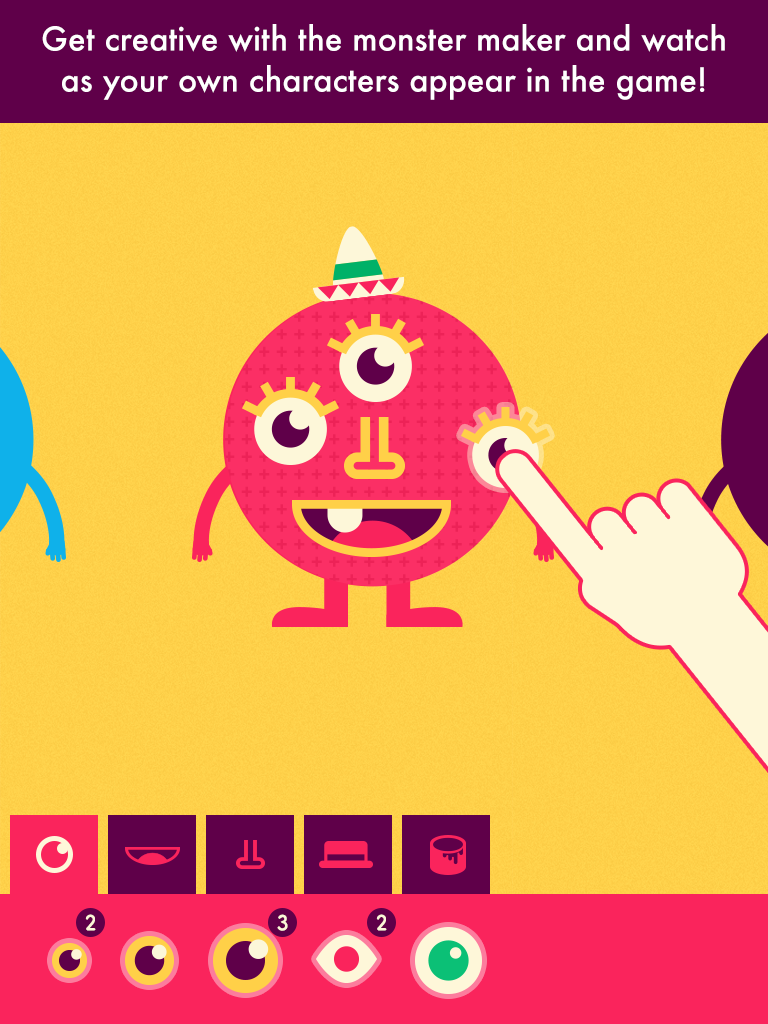
• Create your own monster characters by winning new features, then see your creations appear in the game!
• Unlimited player profiles for easy device sharing

Shiny Things already endeared us with their Shiny Bakery app, so I was eager to try this out with my younger son. Aside from the fun animations and adorable characters designed to keep a young learner's attention, one  of my favorite features is the writing recognition- it even does a really good job understanding my son's handwritten numbers, despite handwriting not being his strong suit.  My son loves creating faces for the Shiny people/creatures and watching them actually come to life as characters in the math activities.  I really like how this incorporates visual memory strategies too- for example one of the tasks shows a certain number of creatures that appear for a brief second before the light flickers out; the user has to pick the dice that corresponds with the number of creatures to play the game. The game play is not punitive either- if a mistake is made, the creatures simply mumble and the incorrect answer is removed from the choices, as many times as necessary until the child chooses the correct answer.  Both educational and fun, it's a keeper!


~~CHECK BACK LATER FOR CODES, COMING SOON! ~~

Draw with Curious George  by Houghton Mifflin Harcourt  (iPad, 99 cents at time of review) 


 excerpt from iTunes:
Does your playful little monkey love drawing on the walls? Have him draw with Curious George instead in this fun and entertaining coloring app! In Draw with Curious George children can color and draw for hours, with a selection of vivid colors, tools, stamps, and stickers. 

Draw with Curious George provides your child with everything he or she needs to create a masterpiece and then share with loved ones through a kid-friendly email system. 

Features & Benefits 
Activities such as:
•Connecting-the-dots
•Tracing animal drawing – everything from birds to bunnies
•Coloring in drawings using different sizes of pencils, paintbrushes, and markers for varying effects
•Painting in opposites with a mirror painting button
•Playing with stamps and stickers
•Having fun cleaning up Curious George’s silly splatters and monkey jumbles
•Sharing art with friends and family through Curious George’s kid-friendly email system


 A very parent and child-friendly app with no in-app purchases or third-party advertising (yay!), Draw with Curious George also thought of a much appreciated feature-an art gallery within the app, so the iPad's photo albums stay uncluttered with tons of artwork while the kids save their masterpieces. (Thank you from the bottom of my heart!)  However my favorite feature is the friendly narration (it's The Man With The Yellow Hat!) so non-readers can easily navigate the app and enjoy all its features. There are many different Curious George themed activities to keep preschoolers and younger elementary aged kiddos entertained-  tracing, connect the dots, coloring with a variety of tools, including stamps, stickers and silly "paint"' options like bananas.  There are fun sound effects for the silly paint tools, and for those of us who grew up on Curious George, he also makes the cutest noises when you tap him. Awwww.  Even better is the easy sharing by email feature- it allows you to add up to three pictures and emails-after you've set it up, the child simply clicks on the picture of the person they want to send their artwork to.  


Tools:

Fun Timer by all4mychild (iPhone/iPad, 99 cents at time of review)  


Fun Timer is a simple visual timer to help children be successful while doing a task or activity. You can set it for either ''earning" or "losing" an activity, for a period of anywhere from 1 to 30 minutes. To customize the app, you can add your own pictures from your photo album, draw a picture, or type in a message.

For earning a privilege, select an image, drawing or type in words showing what you want to do next if behaviors are positive.  Select the earning button when the child is doing the expected behavior, and slowly more and more of the picture will be revealed until the timer ends, and the reward is earned.

For losing a privilege (a child gets off task, or is fighting, or engaging in an unexpected behavior) select the "Losing"' button, then "start'' and over time the image, drawing, or words you added to the timer will disappear, showing that you won't be able to earn or do the fun activity depicted if the behavior continues.  Press ''pause'' to stop the timer for good behavior.  If the behavior continues, the image will eventually go blank after the time you specified and the timer's face will show tears.


Saturday, August 9, 2014

Build to 100 by Fuzzy Bees


Build to 100 by Fuzzy Bees ($1.99, iPad only) [Also on ANDROID here]


If you are familiar with Fuzzy Bees' app Count to 100! See Review here   you know ''educational quality' & "parent-friendly'' are words of high importance to Fuzzy Bees.  Build to 100 is a natural extension of the Count to 100! app, which introduces counting to 100, with features that allow the child to drag numbers from 1 to 100 to their correct place on the number grid.  Kids can learn to associate where numbers belong in relation to each other and build on patterns by skip counting by 2s up to 10s.   Like its predecessor, auditory and visual cues are used to signal a correct or incorrect answer.  There is also a lock feature to keep a child from accidentally exiting the screen (2 quick taps in a row are needed) or getting in to Parent/Teacher areas (three quick taps are needed).


A new addition to this app is a Record Time feature where students can gauge how fast they can build the number grid. This is especially important as teachers and parents can use it to see how a student's understanding is developing and improving over time.

Flexible settings mean a parent or educator can set up the app to target the numbers a child is most struggling with, and auditory cues can be shut off if not needed or wanted.

This is not a toy/game app, it is a tool appropriate for an educational setting, or to supplement learning at home, or to have handy during homework time.  It is hands on and its sound effects should provide an engaging alternative to the old-school paper and pencil method of writing in numbers one by one on a number grid . For children with motor skills delays, using the iPad screen will be a less physically demanding option than the scenario just described.


Favorite Features


Family/educator friendly - no IAPs, locks to block settings & educational tips page. Build to 100! is a Moms with Apps member, a label that upholds the following promises: for kids, privacy best practices, no surprises
Auditory cues- two distinct sounds are used for correct/incorrect number placements
Visual cues- number will jump away from the screen if placed in the wrong spot, and flash as they are placed in a correct spot
Flexible settings- choose perimeters for numbers to focus on, turn correct or incorrect sound effects on or off independently, choose to record time, determine whether building of the number board is random or based on a pattern, choose whether numbers on the board are hidden, and whether number squares are displayed one row at a time, or in their entirety.
Positive Reinforcement - errors are ignored and signaled only by a distinct tone; praise is given after the grid is finished- complete with the app's adorable bee mascots, cheering and a banner bearing different praises "Excellent" ''Awesome" "Outstanding" or "Fantastic". (you can choose to shut off the cheering sound effects for this).

Wish List
I would love to see the white buttons with the bright yellow ''lights" seen in Count to 100! return as an option.

An update is being considered for adding speech to the numbers as well, for additional auditory feedback.

Screenshot from Android device

Thursday, May 1, 2014

50+ Totally FREE Apps for Special Needs ( iOS)


In case you missed some of the Autism Awareness Month specials during April, Special Apps, Special Kids has rounded up their favorite fully functional, ALWAYS FREE apps- many developed with special needs in mind.

These are quality, stand-alone apps and child-friendly- currently free of ads and links to apps with  consumable IAP (repeating In-App Purchases), for example, although there may be links to a developer's own apps present.  A few included apps have one time IAPs to unlock additional content that is not needed to enjoy the app- this will be stated if that is the case at the time of publication if known).

(Check in iTunes before downloading as developers do make price, IAP or ad changes from time to time)


AAC & Assistive Technology:
Grid Player by Sensory Software International
Alexicom AAC by Alexicom Tech LLC
AZAHAR by FUNDACION ORANGE
C.P.A by CPA
Verbally by Intuary (has one time IAP for Verbally Premium- make sure IAPs are set to off )
SoundingBoard by AbleNet (has IAPs for more content)
Cardnival: share FREE audio visual cards for special education (autistic & dyslexia) by MB & Partners Limited


Academic Tools:
30hands: Create & Show What You Know by 30hands Learning, Inc.  (ungated links to social media)
Educreations Interactive Whiteboard by Educreations, Inc
Khan Academy
GuidedVideo by GuidedVideo LLC  (Temporarily FREE w/ planned update, grab it while you can!)
Geoboard, by the Math Learning Center by Clarity Innovations
NASA has many free apps
Smithsonian Channel for iPad by Smithsonian Networks


Behavior & Emotional Regulation Tools:
Fun Time Timer by CodigoDelSur
Spectrum Timer by Richard Humphrey
Breathe, Think, Do with Sesame by Sesame Street


Cause & Effect:
Sensory Room by Inclusive Technology Ltd  SWITCH ACCESSIBLE
Finger Paint with Sounds by Inclusive Technology Ltd  SWITCH ACESSIBLE
Touch & Say SD by Interbots Touch & Say by Interbots (for iPad)


Data Collection & Organizational Tools:
ATEC by Autism Research Institute
Get Well Stay Well by The Thanksgiving Game, Inc.
My Autism Day by Little App Helpers
Palu Shared Handwriting Calendar by MetaMoJi Corporation  (IAPs to remove (unobtrusive) ads & add more calendars)
Scholastic Reading Timer by Scholastic


Emotions & Feelings:
Autism Emotion by Model Me Kids, LLC,

Feel Electric! by Sesame Street
Tolva and Ting's Moods - Who's in a Mood? by Me and the Giants
Emotionary by Me.Mu by leehsueh


Grammar, Language & Vocabulary:
Let's Name Things Fun Deck by Super Duper Publications
NLConcepts Autism: Sort & Categorize by Natural Learning Concepts
SpeakColors by Robert Harrison (link to fuller version, SpeakColors HD, on a separate adult targeted screen)
Using I and Me Fun Deck by Super Duper Publications


Life Skills, Life Events & Safety:

Big Moving Adventure by Sesame Street
Danger Rangers Fire Safety App: Videos, Games, Photos, Books & Interactive Play & Learn Activities for Kids... by Playrific
DialSafe Pro by Little Bit Studio, LLC (phone safety, 911)
Just Me and My Mom - Little Critter by Oceanhouse Media
Model Me Going Places 2 by Model Me Kids, LLC (video modeling: hairdresser, mall, doctor, playground, grocery store, restaurant)
Put It Away by leehsueh
Rockford's Rock Opera 1 - Children's Musical Audio Book by Sweetapple Ltd (stranger danger, environmental awareness & more)
Sesame Street for Military Families by Sesame Street
Sesame Street: Divorce by Sesame Street
Sesame Street: Incarceration by Sesame Street
Shoperone: Assisting with Grocery Shopping by Jackson13.info
Sparky's Birthday Surprise by Cupcake Digital (fire safety)
Step By Step Getting Dressed by Wonkido
Stewie the Duck Learns to Swim by Stew Leonard's


Math:
Sushi Monster by Scholastic


Motor Skills- Fine Motor/ Visual Motor:
Trace & Share by True Digital Content and Media Limited
Match Blitz by Shiny Things


Music:
GlowTunes Christmas by AppHappyStudios LLC (has single IAP for extra content, 99 cents)
Children's Xmas App - Rockford's Christmas Song by Sweetapple Ltd


Play Themes:
Bamba Ice Cream by Mezmedia (price has changed recently, confirm)
Daily Tasks by True Digital Content and Media Limited
Toca Kitchen Monsters by Toca Boca
Toca Hair Salon - Christmas Gift by Toca Boca


Reading:
SEN Press- for teenagers with special needs by SEN Press Ltd (has one complete, free book of high quality; IAP for full library/ single books for purchase is gated- however it is expensive and we recommend turning on guided access and drawing around the shop button to further protect against unwanted entry)


Religious Education:
Bible for Kids by LifeChurch.tv


Special Needs Resources:
(may be ad-supported, as these apps are geared toward adults I have not thoroughly checked)

Autism by Autism Research Institute (small, one-time IAP for extra content)
Autism Live by Mark Keller
Braille Institute- Several FREE apps here
FSL App by Cassandra Burgess (Full Spectrum Learning, Cognitive and Behavioral Support Services; has videos and visual supports, as well as a Northern Ontario autism event calendar)
Global Autism Alliance by Autism Research Institute
LittleSteps by Sandra Moyer (free developmental milestones; small, one time IAP for extra content)
National Fragile X Foundation
Rare Diseases E-book from Rare Genomics Institute
Schafer Autism Report by Autism Research Institute
Spectrum Stratergies by madebyeducators


 --------------------------------------------------------------------


 MORE FREE (GENERAL ED.) APPS FOR PRE-K & ELEMENTARY:


Animals:
Disneynature Explore by Disney


Art/Creativity:
Lazoo: Squiggles! by Lazoo Worldwide, Inc
Sago Mini Bug Builder
Toca Fairy Tales by Toca Boca
Tiggly Draw by Tiggly (IAP with parental gate)
Tiggly Stamp by Tiggly (IAP with parental gate)


Reading:
Language Technologies, Inc. has one free LAZ Reader app for each level AA- P)


Shapes:
Tiggly Safari by Tiggly (IAP with Parental Gate)


Developers to Check Out:


Fisher Price has several free apps for the 0-3 crowd.

Grasshopper Apps has many free apps for a variety of areas including memory, matching, vocabulary, fine motor etc. (some have one time IAPs for additional content or features). 

LEGO also has some totally FREE options, as well as others with IAPs.

More information on some of the Grasshopper Apps & LEGO apps on  this list of 10 Autism Apps from Small But Kinda Mighty )

PBS Kids has several free apps for PreK & up.

Wednesday, March 12, 2014

New & Notables: Educational Apps Vol. 1 (iPhone /iPod Touch)

Apps for iPhone and iPod Touch (use them in 2x mode on your iPad as well):

Learning Games:

State Bingo and Geography Crossword by Niyaa (iPhone) NEW

excerpt from iTunes:
2 fun geography games State Bingo and Geography Crossword, specially designed for the iPhone and iPod touch.  Learn to navigate a map, build extensive geography skills all while playing engaging and creative games. Earn rewards as you win games and learn a bit of history.

Based on the iPad version, this special iPhone version has an additional crossword game to play. The player earns rewards by answering facts about states accurately.  Auditory cues let the child know when an answer is correct or not in both the crossword and bingo games.  This app requires reading- My six year old can read it by himself with some occasional help to decipher more difficult words.

Starfall All About Me by Starfall Education (iPhone / iPad; Amazon; Google Play)

excerpt from iTunes:
Your child will love creating and interacting with his or her Me Character. Players learn essential vocabulary while making choices about everyday objects, body parts, pets, and household environments. This app is excellent for emerging readers and English language learners.


My 6 year old was already familiar with Starfall when I showed him this app- his classroom uses it on the computer.  All About Me allows your child to build themselves as a character in the app. The child picks elements that represent him/herself including facial features, clothing, and things in his/her home. The child can  pick silly options like a crown to put on his head, or a kangaroo as his pet. The app introduces reading skills with tap to read words and cloze sentences i.e. Ï am a ______ (boy /girl). There is also a word puzzle activity where the child drags vocabulary words to the correct spot in a scene.


Montessori Rhyme Time Learning Games for Kids  by Innovative Mobile Apps (iPhone / iPad) FREE

 excerpt from iTunes:
Rhyming activities provide the first steps in identifying the different sounds that make up a word and are a critical skill to master on the path towards becoming a good reader and a confident speaker.

The goal of this application is to give parents and teachers a new interactive tool that helps children further develop these critically important skills in a fun and engaging new way.

Our "Rhyme Time" app was created using hundreds of gorgeous illustrations that are sure to keep kids interested and engaged. In this application, children will be presented with a variety of different rhyming activities and games. The best way to play this game with a child is to sit down with them and have them explain to you the reason / thinking of why two items should go together. This way, the game can act as a wonderful interactive tool to develop both language and critical thinking skills.

The application also includes great audio reinforcements by congratulating the child each time they successfully match a pair that rhymes. 

 This is an interactive app that allows the child to actually match up rhyming words by drawing on the screen with their finger.  I am not a Montessori expert, so cannot confirm whether this follows Montessori practices, but it appears to be an educationally sound way to practice early rhyming skills. Plenty to do for free (Basic Levels come unlocked); You can unlock the Intermediate Levels via In- App purchases. 


Reference Tools

Sesame Street:Divorce by Sesame Street(iPhone/iPad)  FREE

Sesame Street: Divorce is a resource for parents to refer to when going through a divorce. It has tips on how to talk to your children about what is happening, to help them (and you) through difficult feelings.


National Fragile X Foundation (iPhone) FREE

Learn more about Fragile X through the National Fragile X Foundation app.  Links to local events, conferences, research articles and more. There is also a podcast to subscribe to here.


Tuesday, July 30, 2013

Review: Ansel & Clair: Triassic Dinosaurs


 Ansel & Clair: Triassic Dinosaurs by Cognitive Kid, Inc. (iPad2 and later only, $1.99 at time of review)


Clair and Ansel are "Virtoosians" who need to learn about the world by flying around on their spacecraft, affectionately named Marley. Ansel & Clair: Triassic Dinosaurs  is the fifth app in this series from Cognitive Kid, Inc, which include Ansel & Clair: Paul Revere's Ride, Ansel and Clair: Cretaceous Dinosaurs,  Ansel & Clair: Jurassic Dinosaurs and Ansel & Clair's Adventures in Africa (iPod version is named Ansel and Clair's Adventures in Africa ).  Update: Ansel and Clair: Little Green Island has recently joined the Ansel and Clair collection!  My two elementary school aged boys love all of the Ansel & Clair apps- as mentioned before, they do keep playing them over and over, which is something I don't mind- they truly are learning.

Ansel & Clair: Triassic Dinosaurs goes further into history to precede Ansel & Clair: Jurassic Dinosaurs and Ansel & Clair: Cretaceous Dinosaurs.  There are lots of fascinating history and science facts from the Triassic period to enjoy, including tidbits about non-dinosaur animals living during this time period as well as vocabulary such as Pangaea, convergent evolution, and fossilization. And as I have come to expect, this latest Ansel & Clair app also uses a variety of media to introduce these facts in a way kids will understand.  We have learned about the lack of polar ice caps during this time due to climate, likely ancestors of the great Tyrannosaurus Rex, as well as water-dwelling creatures with giant shells; a puzzle activity even introduces  the life cycle of ferns, and of course there is also a dino "dig" to complete.  While each app is self standing, I appreciate how the apps are interconnected as well - for example, the ammonites that we learned the Hybodus snacked on in Ansel & Clair: Jurassic Dinosaurs are featured in Ansel & Clair: Triassic Dinosaurs in greater depth.

Some screenshots taken during game play, compiled into a collage.

What I like:

Rich Media / Narrated Scenes
Just as in all the Ansel & Clair apps, graphics and animations are used generously to hold the kids' attention. The animals in the app (and a few other areas) can be tapped to listen to Ansel and Clair speak about them; there are additional pop-up images to support the interesting facts brought up in their conversation. The familiar "camera" feature from other Ansel & Clair apps allows the user to take snapshots of what he/she sees for his scrapbook.

Visual and Auditory Cues
I appreciate the use of visual and auditory cues. Throughout the app there are arrows, icons and narration to guide the user. *See Wish List


Learn and Retain Fun Facts
I do not consider myself a "history person", yet even I have managed to learn a great deal from this app. I now consider myself a reformed history-phobe!  The way material is presented absolutely makes a difference. This app makes learning more fun! I only wish we had had such a resource available when I was suffering through history classes.


Scrapbook/Journal with Writing Feature
Take snapshots during game play to place in a journal. There is a writing feature as well- use the keyboard to enter notes about what you have learned about each animal or item- this is such a useful feature for an educational setting. The journal can be accessed by tapping on the backpack symbol in the lower right hand side of the screen.


Triassic Sticker Scene
This is a fun feature seen in all the Ansel & Clair dinosaur apps that is embedded in the back of the Scrapbook/Journal.  Stickers for the sticker scene are collected by listening to facts about the Triassic period (via the light bulb icon).  I still love how when you drag a sticker on to the scene, you can place it on top of another sticker- I can sneak in language concepts such as 'in front of', 'behind', next to. You can also send a copy of your completed scene to someone via email. *See Wish List.


Embedded Sequencing Activity- Ferns  
This is a hidden feature- you must find the fern interaction to play.  Drag the icons onto the numbers to show the correct sequence for the fern life cycle. 


Make a Dino
Ansel & Clair: Jurassic Dinosaurs also has this dino building activity- Mix and match parts using a variety of heads, bodies and tails; there are also a few different skins to choose from. You can give your new dinosaur a name, and play with it- it will react when you "tickle" it by touch, and you can also make your dinosaur jump, stomp or roar.  My kids like that there are several different dino roars too.  Your one-of-a-kind dino can be sent via email or saved to your iPad Photo Album.


 Dino Dig & Puzzles
Travel underground to unearth two different sets of dinosaur bones from the Triassic period. This was my favorite feature in Ansel and Clair: Cretaceous Dinosaurs, and is also a feature in Ansel & Clair: Jurassic Dinosaurs. The settings now allow more freedom to use any kind of tap to uncover the bones. The kids still find this fun, but I loved when it was more challenging and required specific taps to finish the task. (I just sit next to my youngest and encourage him to do it as instructed, for more fine motor practice!) After uncovering the bones, the user assembles the pieces to complete a dinosaur bone puzzle.


Turn off the Volume, or not!
There are separate controls to adjust volume and sound effects, which means if the background music is too much for a child, they can still enjoy the sound effects.  It even goes a step further by allowing us to adjust music volume to our liking.


Built-in Guide   Another favorite feature in the Ansel & Clair apps- a handy built in guide!  You can tap the book icon to access the guide with screenshots and accompanying descriptions for each page.


Parent Friendly Access to Social Media & Apps
I LOVE the new parent friendly feature for the "About" page, and also for the "More Apps" button on the main screen. To click out of the app, say to Facebook, you must answer a mathematical question. This was a parent requested feature that the developer has implemented, and it is much appreciated!  Through the About Page, you can also join Cognitive Kid's mailing list to get updates and information, share with a friend, contact support if you are having an issue, send feedback for improvements etc.


Wish List ( I always have one!)
Option to hide the Mail feature- I would love the option of shutting off the mail button available in the Make a Dino and Sticker  Scene sections of the app. I have visions of dino creations getting sent to random people in my contacts list, as an email address will pop up when entering the first few letters in the email field.  Per Previous statement- Developer Comment: We are considering this possibility.

Written explanations- When clicking to take a picture an audio fact is given- would like it to be written out as well, or perhaps at least display some key words, for those that have auditory comprehension difficulties- having a script to read would help the child understand what he/she is hearing better. Per Previous statement- Developer Comment: We are considering implementing this feature in the future- it is also a current feature available in  Ansel & Clair: Paul Revere's Ride. (Update: The latest Ansel and Clair app- Ansel and Clair: Little Green Island HD- has implemented written descriptions with audio support too!) 

Sticker Scene- I would love to be able to jump to the Sticker Scene and be able to adjust the size of the stickers in the scene with a pinching motion for more creative play.

Only if space is an issue:
The app is also bigger than stated, but since it has not caused issues with game play I have not been concerned about it. In case you are tight on space be aware that this app may take up about 2x more than the 223 MB stated in the App Store. Per Previous statement- Developer Comment: Unfortunately this size statement is set by the App Store.

Rafflecopter planned